| Index | Recent Threads | Unanswered Threads | Who's Active | Guidelines | Search |
 |
World Community Grid Forums

 Category: Support

 Forum: BOINC Agent Support
 Thread: BOINC Automation tool - cpu usage, auto idle
 |
| No member browsing this thread |
|
Thread Status: Active Total posts in this thread: 3
|

|
| Author |
|


|
Hype
Cruncher Germany Joined: Nov 18, 2011 Post Count: 43 Status: Offline Project Badges: 


|
Hey guys,
----------------------------------------as the settings in BOINC Manager didn't satisfy me I developed a small C# tool to help me automate the prefs in BOINC. As I think it's quite useful I thought I'll post it here and see if someone is interested. So what does it do? - Configure # of cores to use while working and while idle. So when you leave your machine it automatically sets usage to 100% f.e. When you come back it goes back to the value before - Configure a list of programs with a specific # of cores to use. f.e. I like to leave BOINC running while playing games. I simply set game X to 25%, game Y to 75% etc., the tool automatically sets the core usage - More ideas to come? Maybe a button "do nothing for 1/2/3 hours"? 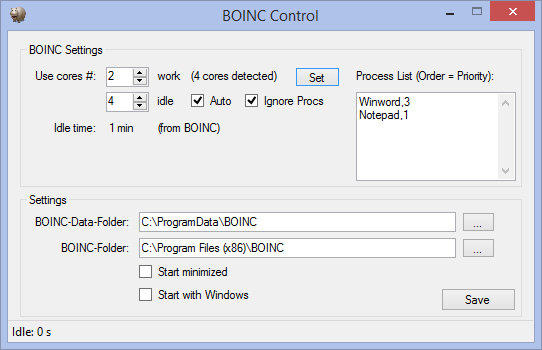 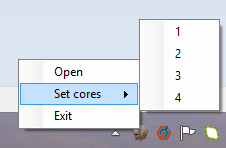 Cheers, RoundFour  |
||
|


|
Coleslaw
Veteran Cruncher USA Joined: Mar 29, 2007 Post Count: 1343 Status: Offline Project Badges: 


|
Does this have a feature for doing the same thing only with GPU's? If so, I know a few people who may find this really helpful...
----------------------------------------    |
||
|
|
Hype
Cruncher Germany Joined: Nov 18, 2011 Post Count: 43 Status: Offline Project Badges:
|
Do you mean a feature like "run only 1 gpu if application X is running"?
----------------------------------------The idle part is already working with default BOINC Manager settings. |
||
|
|
|