| Index | Recent Threads | Unanswered Threads | Who's Active | Guidelines | Search |
 |
World Community Grid Forums

 Category: Support

 Forum: Website Support
 Thread: Widget [html] makes my page invalid
 |
| No member browsing this thread |
|
Thread Status: Active Total posts in this thread: 4
|

|
| Author |
|


|
Former Member
Cruncher Joined: May 22, 2018 Post Count: 0 Status: Offline |
http://shiki.biomernok.hu/
Check out the validators on the bottom. The page is 100% valid without them. Any idea? |
||
|


|
Former Member
Cruncher Joined: May 22, 2018 Post Count: 0 Status: Offline |
http://shiki.biomernok.hu/ Check out the validators on the bottom. The page is 100% valid without them. Any idea? If you click the red one it should give you a list of what it thinks is wrong. Try fixing them and see if the widget still displays OK. Here's what it looks like to me: 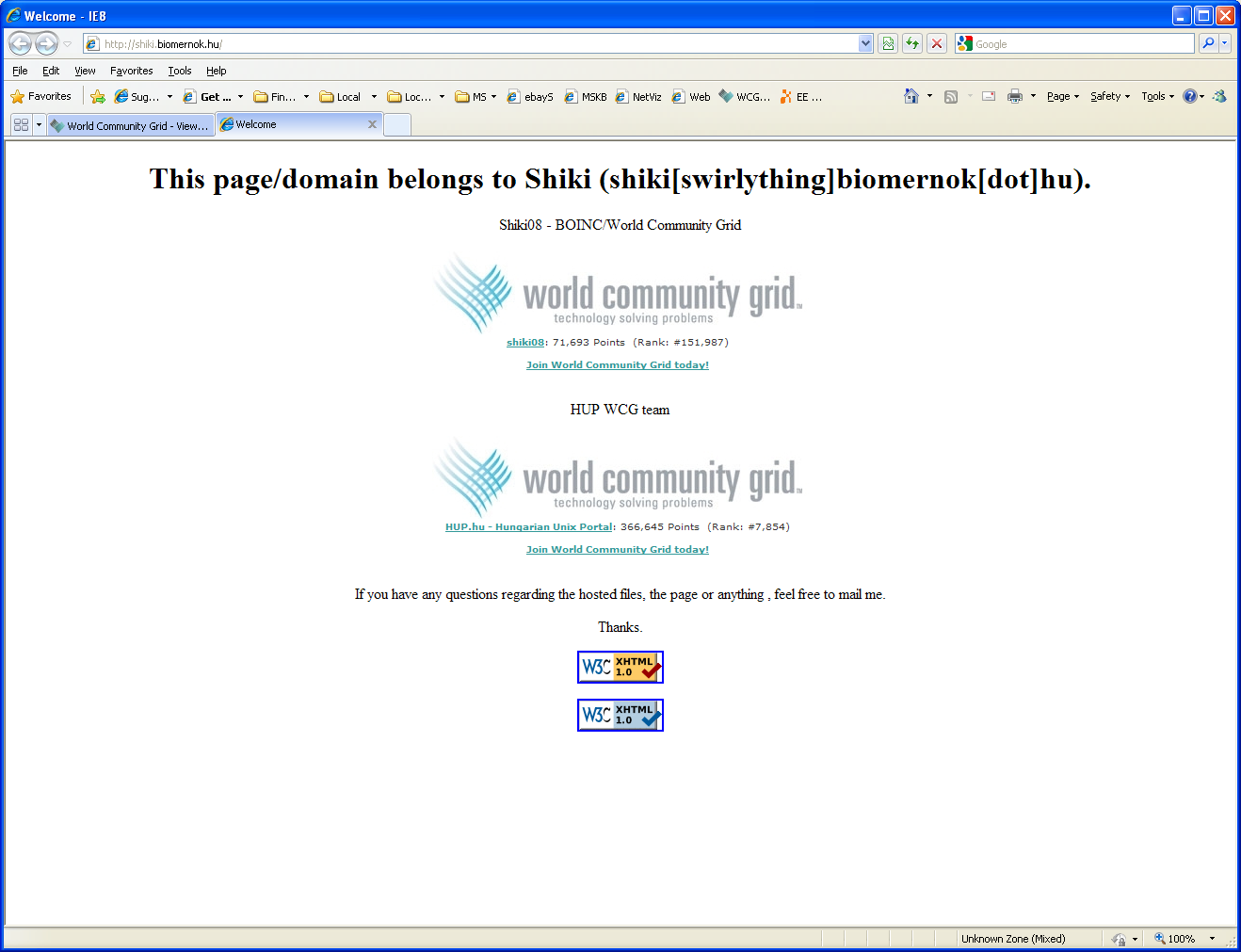 |
||
|
|
Former Member
Cruncher Joined: May 22, 2018 Post Count: 0 Status: Offline |
http://shiki.biomernok.hu/ Any idea? What the validator suggests: Ampersands (&'s) in URLs Another common error occurs when including a URL which contains an ampersand ("&"): <!-- This is invalid! --> <a href="foo.cgi?chapter=1§ion=2©=3&lang=en">...</a> This example generates an error for "unknown entity section" because the "&" is assumed to begin an entity reference. Browsers often recover safely from this kind of error, but real problems do occur in some cases. In this example, many browsers correctly convert ©=3 to ©=3, which may cause the link to fail. Since ⟨ is the HTML entity for the left-pointing angle bracket, some browsers also convert &lang=en to 〈=en. And one old browser even finds the entity §, converting §ion=2 to §ion=2. To avoid problems with both validators and browsers, always use & amp; in place of & when writing URLs in HTML: <a href="foo.cgi?chapter=1& amp;section=2& amp;copy=3& amp;lang=en">...</a> Note that replacing & with & amp; is only done when writing the URL in HTML, where "&" is a special character (along with "<" and ">"). When writing the same URL in a plain text email message or in the location bar of your browser, you would use "&" and not "& amp;". With HTML, the browser translates "& amp;" to "&" so the Web server would only see "&" and not "& amp;" in the query string of the request. Edit: *sigh*, encoding changed [Edit 1 times, last edit by Former Member at Jun 15, 2009 11:44:57 AM] |
||
|
|
Former Member
Cruncher Joined: May 22, 2018 Post Count: 0 Status: Offline |
Thank you guys. I'll try to fix them tomorrow.
|
||
|
|
|