Page 1 of 1
CheckOut missing in Phoca Cart Cart
Posted: 06 Dec 2024, 10:38
by AWiki
Hi I can't checkout (zur Kasse) - Only when I am adding a new product item I get the option continue Shopping or CheckOut which is fine. But when I continue to view the products and then want to checkout without adding any new product - I can't checkout.
When I hover over the icon I get the option to display shopping cart - which then opens a popup window with the items but no option to checkout.
Phoca Cart Cart settings:
Position: topbar
Display Checkout Link: Yes
Layout: offcanvas or top;
When I change the Layout to default I see the header in text form which include the Checkout link at the bottom.
Joomla! 5.2.2 Stable
Phoca Cart 5.0.0Beta87
Phoca Premiere 5.0
Phoca Cart Cart 4.09
Thanks and Regards Alfred

Re: CheckOut missing in Phoca Cart Cart
Posted: 06 Dec 2024, 16:13
by Nidzo
Can you post the link to your shop?
Re: CheckOut missing in Phoca Cart Cart
Posted: 06 Dec 2024, 21:57
by AWiki
The link
http://www.weinbau-maurer.com/Joomla/
We are still testing so no worry. At tne oment i have changed the setting to standard. Let me know if you want to have the other setting.
Alfred
Re: CheckOut missing in Phoca Cart Cart
Posted: 07 Dec 2024, 01:57
by Nidzo
Color of checkout link is same as background color

Inspect that element with developer console and change it either in template settings or using custom.css or user.css

Re: CheckOut missing in Phoca Cart Cart
Posted: 07 Dec 2024, 08:44
by AWiki
Hi this is the wrong setting with the text its ok only if i change the setting as described in my entry to icons its not correct.
Re: CheckOut missing in Phoca Cart Cart
Posted: 07 Dec 2024, 16:29
by Benno
Hi,
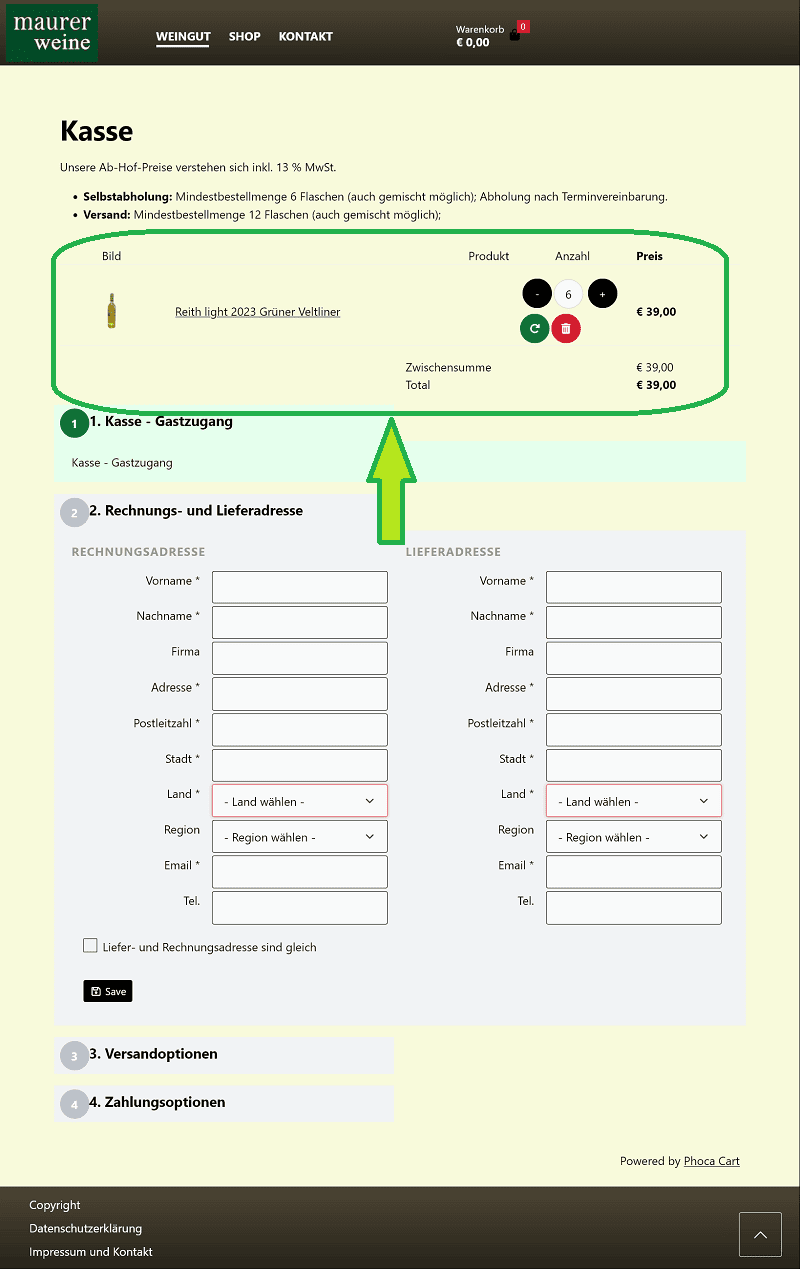
I think Nidzo is right. If you put some bottles of your wine in the shopping cart (Image 1), then want to continue shopping (Image 2), but do not put anything else in the shopping cart and want to go to the checkout view via the red icon (Image 3), the checkout link is also available in this window, but unfortunately invisible. White text on a white background. You can check this if you hold down the left mouse button and hover over the area below the shopping cart content (Image 4). This can be changed via css. And finally you reach checkout (Image 5).
Image 1
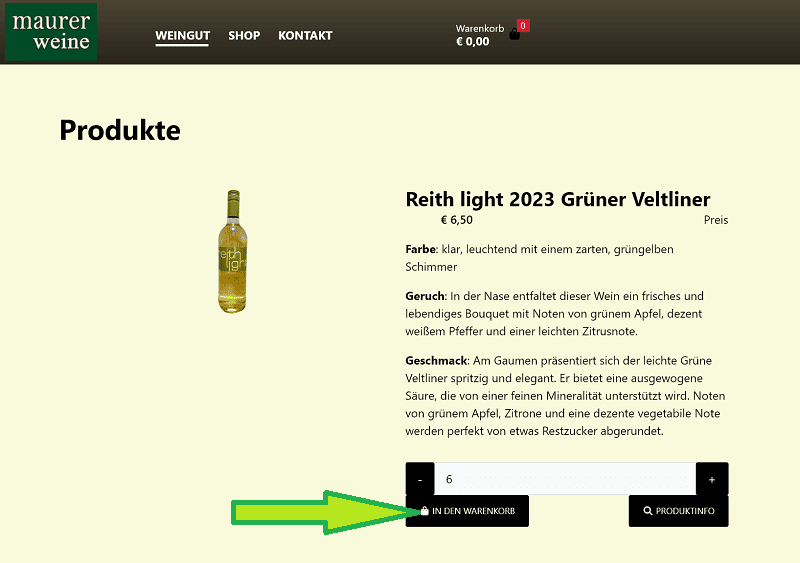
Image 2
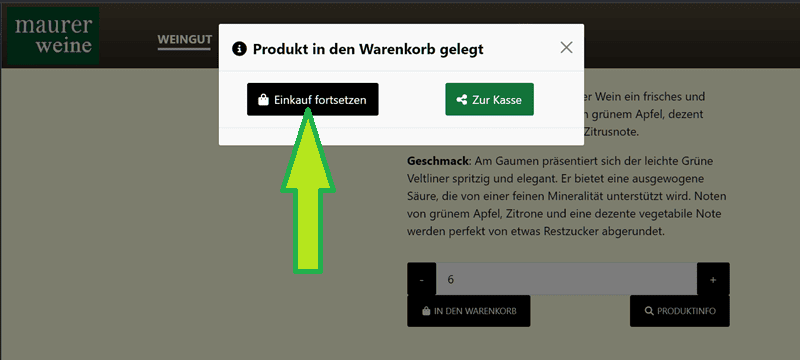
Image 3
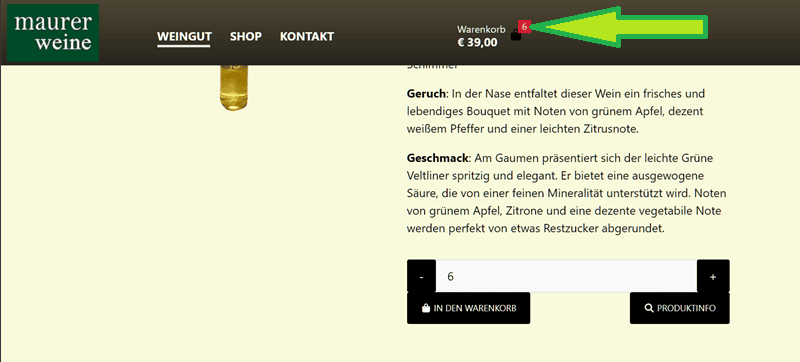
Image 4
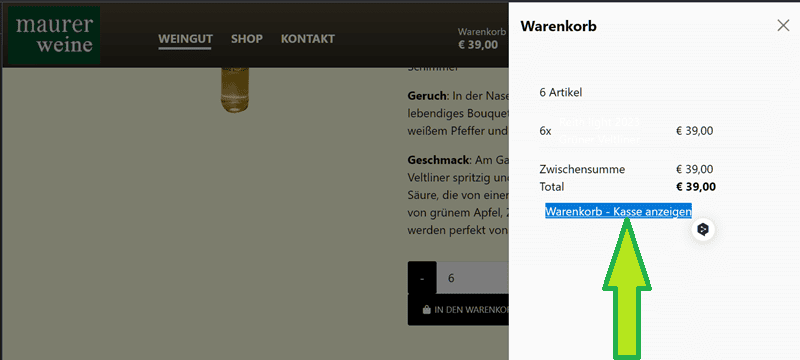
Image 5
Kind regards,
Benno
Re: CheckOut missing in Phoca Cart Cart
Posted: 07 Dec 2024, 17:20
by christine
Hi,
Nidzo wrote:
Color of checkout link is same as background color
CSS code could be (user.css):
Code: Select all
.ph-small.ph-right.ph-u.ph-cart-link-checkout a:link {
color: #000;
}
If you want a different color for hover, then like this:
Code: Select all
.ph-small.ph-right.ph-u.ph-cart-link-checkout a:hover {
color: green;
}
Kind regards
Christine
Hi Nidzo and Benno
