| Index | Recent Threads | Unanswered Threads | Who's Active | Guidelines | Search |
 |
World Community Grid Forums

 Category: Support

 Forum: Website Support
 Thread: Forum update?
 |
| No member browsing this thread |
|
Thread Status: Active Total posts in this thread: 39
|

|
| Author |
|


|
Former Member
Cruncher Joined: May 22, 2018 Post Count: 0 Status: Offline |
Another issue (maybe):
In the screens showing the list of threads for each thread a preview of the text is shown. In here the BB-codes are not rendered I think. This is probably a good idea as it would quickly become messy. However it does mean that unparsed BB-codes are shown in the preview, which isn't very helpfull. E.g:  It would be nicer if the codes were stripped from the preview. |
||
|


|
Sekerob
Ace Cruncher Joined: Jul 24, 2005 Post Count: 20043 Status: Offline |
All these nice things to discover:
---------------------------------------- edit: and this is great. My picture hoster now auto shrinks images to forum size.
WCG
----------------------------------------Please help to make the Forums an enjoyable experience for All! [Edit 1 times, last edit by Sekerob at Sep 1, 2009 7:21:59 AM] |
||
|
|
Sekerob
Ace Cruncher Joined: Jul 24, 2005 Post Count: 20043 Status: Offline |
Another thing just tested upon a pointer by Jean was the search feature now also responds to AND / OR if introduced in capitals. Further, finding posts in a long list and then selecting one actually does jump one to the correct page it's on. So if you wish to find posts where George is mentioned and Clooney too just do George AND Clooney. If words are stringed together, enter with quotations so "George Clooney".
----------------------------------------(there was one hit for Keystone AND Cops btw ;>)
WCG
Please help to make the Forums an enjoyable experience for All! |
||
|
|
stwainer
Advanced Cruncher Joined: Nov 21, 2005 Post Count: 128 Status: Offline Project Badges: 


|
I think things, are looking very nice right now. The text and badges seem crisper to me than before. I'm sure the last few remaining bugs will be worked out quickly. Good job guys!
---------------------------------------- |
||
|
|
Former Member
Cruncher Joined: May 22, 2018 Post Count: 0 Status: Offline |
The badges are almost unchanged. This is what they looked like before:
----------------------------------------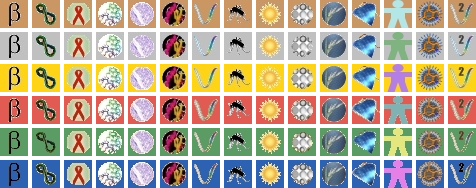 [Edit 1 times, last edit by Former Member at Sep 1, 2009 4:04:36 PM] |
||
|
|
Warped@RSA
Senior Cruncher South Africa Joined: Jan 15, 2006 Post Count: 440 Status: Offline Project Badges:


|
When trying to access the website from my home PC, everything is fine, except the forums, where I get the following:
----------------------------------------"Invalid Session. Please close your browser and try again. Reason: one servlet session but be accessed by more than one IP. Powered by mvnForum" I've tried rebooting the machine and even changing operating systems from Win XP to Linux, to no avail. What next? What does the second sentence mean? I have quoted the sentence correctly and it seems to be grammatically incorrect.
Dave
----------------------------------------[Edit 1 times, last edit by Warped@RSA at Sep 1, 2009 6:44:33 PM] |
||
|
|
Warped@RSA
Senior Cruncher South Africa Joined: Jan 15, 2006 Post Count: 440 Status: Offline Project Badges:
|
By the way, I have also rebooted the modem.
----------------------------------------
Dave
|
||
|
|
Sekerob
Ace Cruncher Joined: Jul 24, 2005 Post Count: 20043 Status: Offline |
Try clearing the browser cache / cookies, exit browser and restart it.
----------------------------------------What browser/version do you use?
WCG
Please help to make the Forums an enjoyable experience for All! |
||
|
|
knreed
Former World Community Grid Tech Joined: Nov 8, 2004 Post Count: 4504 Status: Offline Project Badges: 


|
'My Profile' still does not show the Time Zone unless 'Edit My Profile' is selected. This will surely make many members think that there is no way to adjust the Time Zone. Lawrence Fixed |
||
|
|
knreed
Former World Community Grid Tech Joined: Nov 8, 2004 Post Count: 4504 Status: Offline Project Badges:
|
{code}whatever{/code} does not work (as a way to monospace - have yet to play with the fonts to see if any of them are monospace EDIT: font tags seem to make no difference (none appear to be monospaced), also, the size tag appears to still be ignored as before but colors no longer result in the large size (good actually) but how do you get large text? these items have been fixed |
||
|
|
|